













PDF Tools
Complete Guide to PDF Tools - Merge, Split, Convert & More
Learn how to merge, split, convert, and optimize PDF files in your browser with privacy-first processing.
Read article
100% on-device processing for PDF, Word, image, CSV, and text workflows.
DocxWave (Docx Wave) delivers free online tools for DOCX, PDF, image, and text tasks with no registration and no app installs. Merge PDFs, convert DOCX files, clean copied text, and optimize images in one workspace.
Our system prioritizes in-browser processing to eliminate unnecessary file uploads and keep your data under your control. That makes the platform suitable for personal, academic, and business documents.
Whether you need a one-off quick fix or a recurring workflow, the interconnected sections let you jump directly into PDF, Word, image, and text tools with smooth page-level navigation and section anchors.
$0 Forever
100% on-device
No downloads
Combine pages, split ranges, and reduce file size in one browser-first workflow.
All-in-one workspace
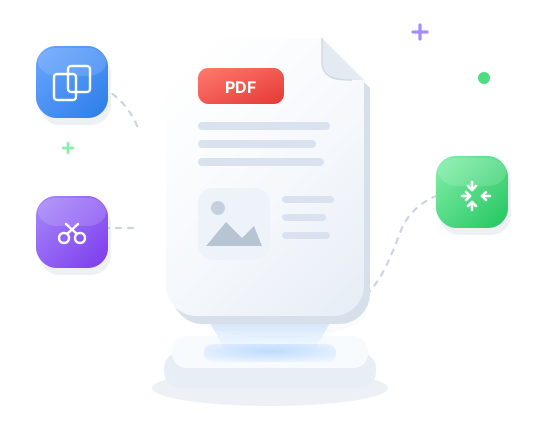
One toolkit for PDFs, DOCX, PowerPoint, images, CSV tables, and text — not a PDF-only editor. Open the format you have and keep working.
Edit PDF pages, write Word docs, build PPT slides, retouch images, and grid-edit CSVs. Click, type, drag — no extra software to install.
Each editor feels familiar from the first click. Tools stay in one DocxWave layout so you are not relearning a new app for every file type.
Word to PDF, images to PPT, CSV to Excel, JPG to PNG, and more — keep layout and data on your device while you switch formats.
Draw a signature on a PDF, fill templates, add notes, or stamp approvals — then download DOCX, PDF, PPTX, CSV, or TXT instantly.
Every editor runs in your browser. Nothing is uploaded to our servers, so invoices, decks, sheets, and scans stay on this device.
Free templates hub
Agreements, invoices, resumes, and official consumer forms for the US, UK, Canada, Australia, New Zealand, and India. Open a template, fill the fields, download as DOCX, PDF, CSV, or TXT — nothing uploaded.
Open a form, replace names and dates, download. Same flow as a professional template library — no account.
IRS W-9, HMRC, CRA, ATO, IRD, and RTI-style sheets plus NDAs, leases, invoices, and resumes.
Export on this device. Edit further in Word, Excel, or our PDF, Word, and CSV editors.
Most used
Edit PDFs: text, markup, drawings, signatures, and page management.
PDF TOOL
Author Word docs with a full-featured rich text editor.
WORD TOOL
Edit images: rotate, crop, filters, resize, and more
IMAGE TOOL
Turn a batch of photos into a PowerPoint slide deck.
PPT TOOL
Build and edit CSV tables online with an interactive grid. Add rows, columns, and export.
DATA TOOL
Count words, characters, and sentences in real time.
TEXT TOOL
Combine multiple PDFs into a single document.
PDF TOOL
Convert PDF to editable Word document in browser
WORD TOOL
Reduce image file size
IMAGE TOOL
Visual slide deck studio — drag text, images, shapes, and download a .pptx.
PPT TOOL
Open and inspect CSV data in a readable table.
DATA TOOL
Uppercase, lowercase, title case, and sentence case.
TEXT TOOL
Extract pages or split a PDF into separate files.
PDF TOOL
Convert Word documents to PDF in the browser.
WORD TOOL
Resize images to any dimensions
IMAGE TOOL
FAQ
Quick answers about privacy, support, and usage.
Guides
Practical walk-throughs for PDF, Word, image, CSV, and text workflows.
Learn how to merge, split, convert, and optimize PDF files in your browser with privacy-first processing.
Read articleCombine multiple PDFs into one file without uploading. Reorder pages and download the merged document instantly.
Read articleReduce PDF file size while preserving quality. All compression runs locally in your browser.
Read articleConvert DOCX to PDF, clean formatting, merge Word files, and run document utilities with zero upload flow.
Read articleConvert DOCX and Word documents into shareable PDFs without installing Microsoft Office.
Read articleResize, compress, crop, and convert images. JPG, PNG, WebP, and HEIC tools that run in your browser.
Read articleView CSV tables, convert CSV to Excel, filter rows, and format data without sending files to a server.
Read articleUse Word Counter, Text Cleaner, and formatting helpers to prepare clean copy for blogs, reports, and SEO.
Read articleOUR SOLUTIONS
Merge, split, convert & secure PDFs
Convert, edit & extract from DOCX
Resize, convert & optimize images
Create, convert & edit PowerPoint in your browser
View, convert & edit tabular data
Count, clean & format text
0K
ACTIVE USERS
0K
FILES CONVERTED
0+
ONLINE TOOLS
0K
PDFS CREATED
Privacy-first
DocxWave takes security very seriously. Remember that your files stay on your device—processing runs in your browser, and we don’t store your documents on our servers.
No cloud uploads
Browser-only processing
Nothing stored on our servers
Coming soon for both Android and iOS
Scan to open